
How to get the Agency account structure?
In this article you will find information about the account structure we recommend to agencies and freelancers managing multiple projects for their clients.
This guide explains the recommended Weglot setup for agencies & freelancers: one main agency account + one workspace per client. This structure unlocks the Agency Trial (3 months free on each new client workspace) and allows your clients to get a 15% lifetime discount when they subscribe.
What you'll get (in short)
- 1 main agency account
- 1 separate workspace per client
- Agency Trial applied to new client workspaces once your agency status is approved
- A clean handover: your client becomes the workspace owner and subscriber, and automatically receives 15% lifetime discount
Step-by-step: set up the Agency account structure
Step 1 — Create your agency’s main Weglot account (if not already done)
We recommend using a generic agency email (e.g. contact@agency.com ) as the main account so it remains accessible to your team over time.
- Go to the registration page: dashboard.weglot.com/register
- Create your account using your agency’s main email
- Confirm your email address via the confirmation email you receive
Step 2 — Complete onboarding as an agency
After confirming your email, you’ll access an onboarding survey.
Recommended answers:
- Role: choose what fits (CEO / Developer / Project Manager — it doesn’t affect eligibility)
- Website to translate: choose “My clients’ websites as an agency” ⚠️ (If you didn’t select this option don’t worry, you can still follow the agency workflow and request access to the Agency Trial later)
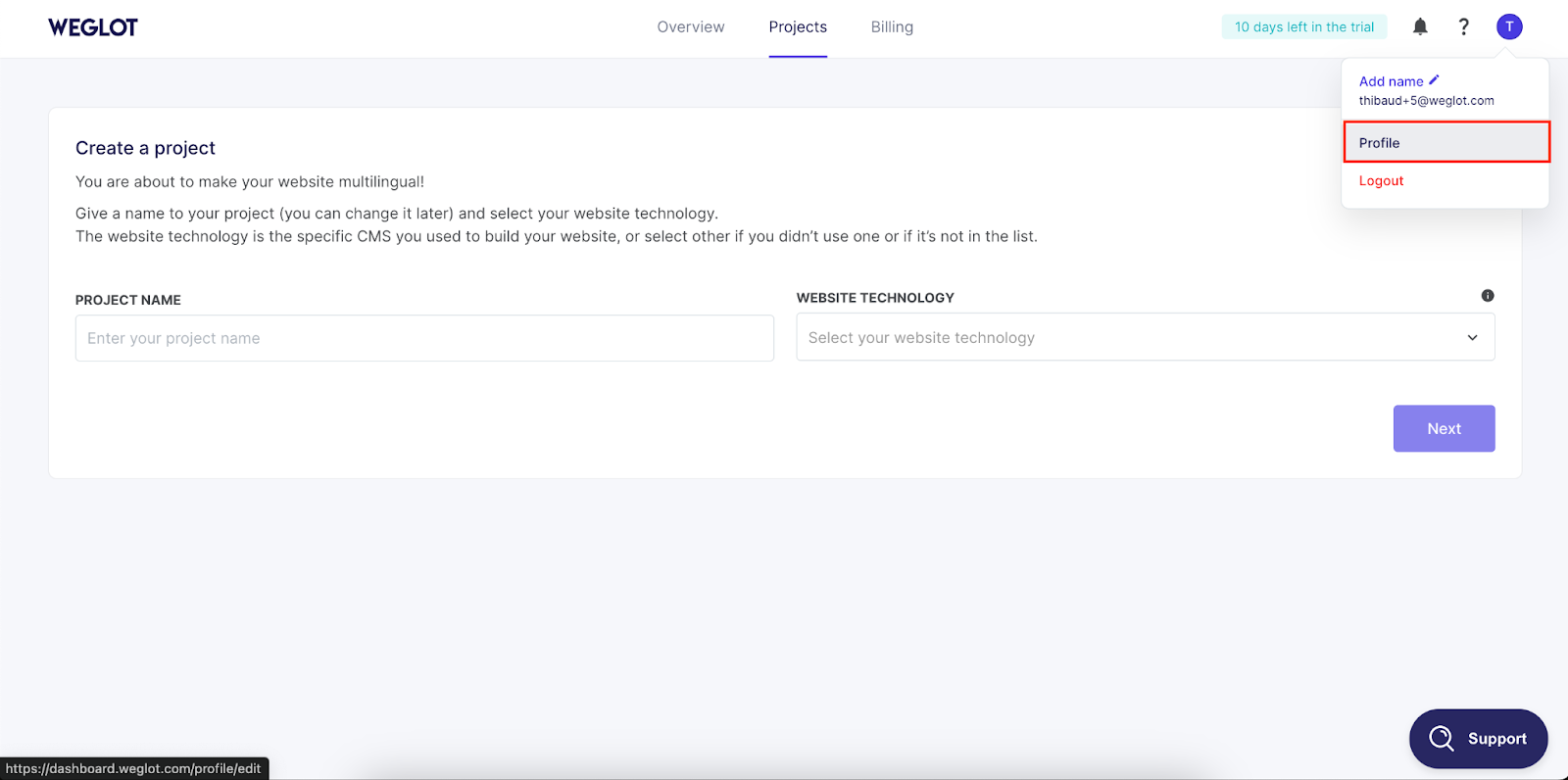
Step 3 — Skip “Create your project” and create a client workspace first (important)
After onboarding, Weglot may take you to “Create your project”.
As an agency, don’t create your client project in your agency’s personal workspace.
Instead, create a new workspace for your client first:
- Click your Profile icon (top-right corner, your initial)
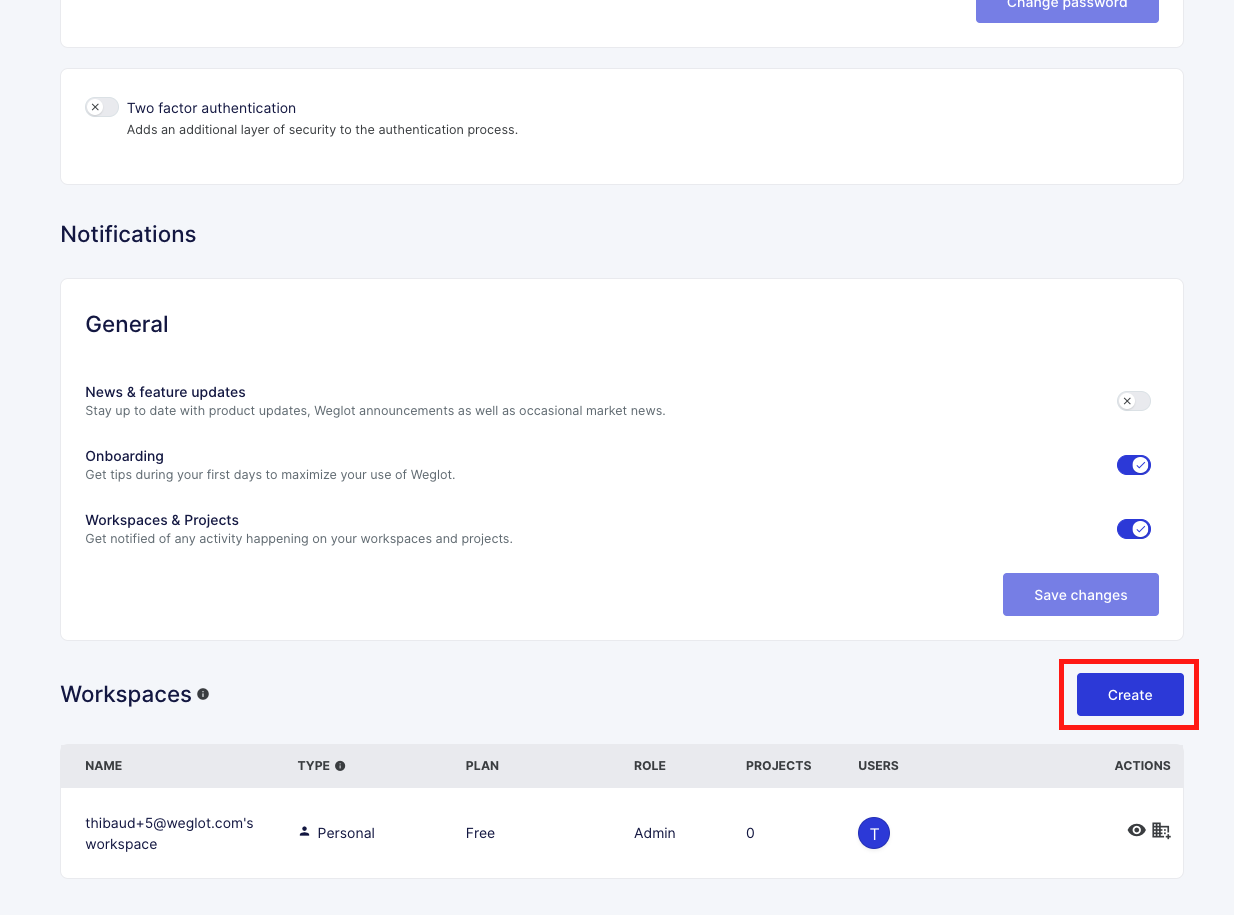
- Scroll down to Workspaces
- Click Create
- Enter your client’s company name
- You now have a dedicated client workspace
✅ Best practice: Create 1 workspace per client (you can manage multiple projects for that client inside their workspace if needed).
Step 4 — Set up your client’s project(s) inside the client workspace
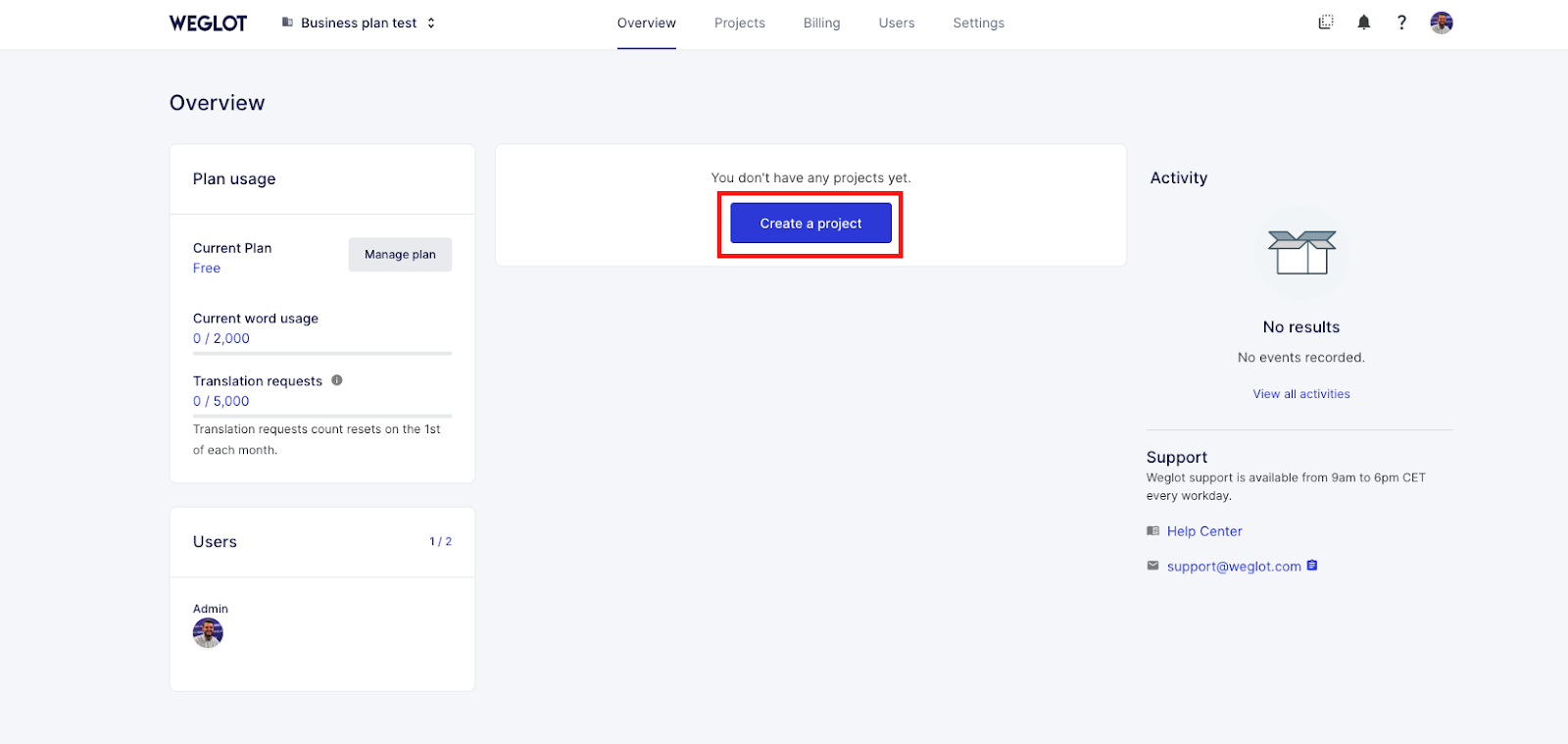
Once the client workspace exists, you can:
- Create the project(s)
- Configure integrations, languages, and settings
- Invite your teammates and (optionally) your client
- Work through staging → production when ready
Step 5 — Agency approval and Agency Trial activation 🎁
When you create your account / workspace, you may initially see a standard 14-day trial.
Your account will then be reviewed by the Partnerships team to confirm your agency status.
Once confirmed, you’ll get access to the Agency Trial:
- 3 months free on any new client workspace you create
- Then 15% lifetime discount when the client subscribes
⏱️ Review timeline: typically within 24 business hours. If you need access urgently, contact: agency@weglot.com
Your agency status is reviewed once per agency account, not per client workspace.
Step 6 — Transfer workspace ownership to your client when the site is ready to go live (highly recommended)
When the website is ready for production, we highly recommend transferring workspace ownership to your client so they can subscribe to their own plan.
💡 How to transfer a workspace ownership?
Why this matters:
- The client automatically gets a 15% lifetime discount on any plan
- You can keep collaborating on the workspace after transfer (with the right access)
The client can subscribe at any time during the 3-month Agency Trial.
If there is no subscription by the end of the trial, the workspace is downgraded to the Free plan
Step 7 — Repeat for every new client
To onboard a new client:
- From your main agency account, create a new workspace
- Set up the project(s)
- Use the Agency Trial
- Transfer ownership when ready
- Client subscribes with 15% lifetime discount
This is the recommended workflow for scaling Weglot across your client base.
If you are experiencing any issues or concerns during this process, please contact agency@weglot.com.